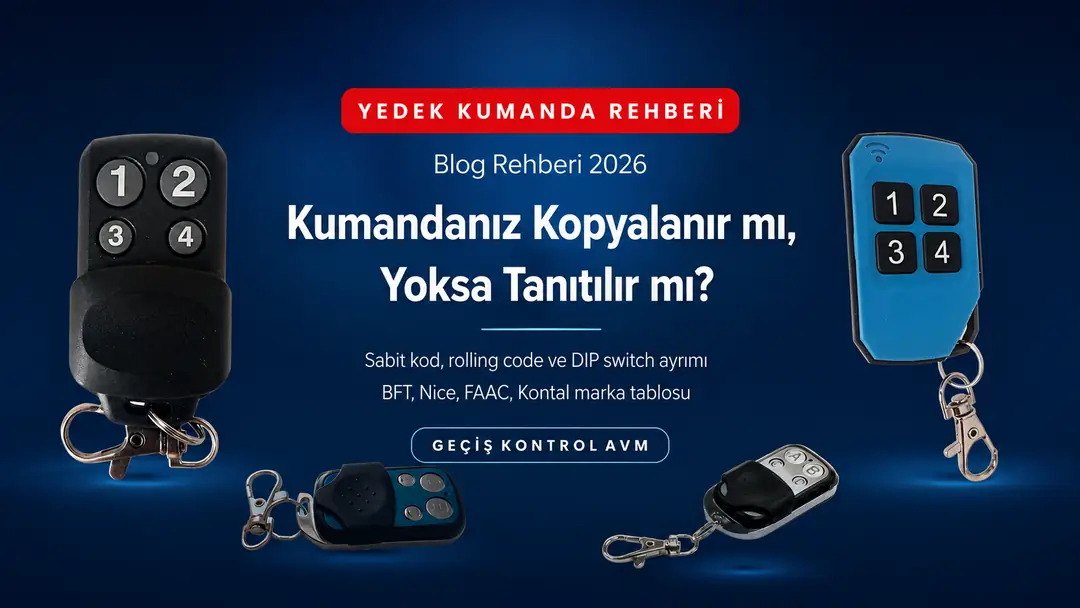
Some garage, roller shutter and barrier remotes can be copied and some cannot. Identify your remote's code type in 2 minutes and learn the right method for fixed code, rolling code and DIP switch, the brand table and fixes for 9 common faults.
Contents
- Three ways: copying, pairing and DIP switch
- What type is your remote? A 2-minute diagnosis
- Brand and model table: which ones can be copied?
- Remote copying cost: locksmith or DIY?
- How do you copy a fixed-code remote?
- How do you pair a rolling code remote to the receiver?
- DIP switch remotes
- 7 criteria for choosing a spare remote
- Which model is right for you? Comparison
- Remotes by application: garage, roller shutter, barrier, parking
- Remote or card access? The right method for parking
- 9 common faults and how to fix them
- 6 ways to increase range
- Lost remote: deleting it from memory
- Bulk purchase math for residential complexes and apartment buildings
- Remote batteries: which one, and when?
- Security, legal framework and photocells
- Featured products
- Frequently asked questions
- Conclusion: diagnosis first, then method
Some garage, roller shutter, barrier and garden gate remotes can be copied, and some cannot. This single sentence explains almost all of the returns and "I bought it but it didn't work" complaints that come with buying a spare remote. If you have a fixed-code remote, the new remote is copied directly from the old one — just hold the two devices side by side and press the learn button. If you have a rolling code (hopping code) remote, the general-purpose copying method on the market will not work; instead, the new remote is paired to the motor's receiver. Some manufacturers offer their own dedicated procedure for this (transfer from a master remote on FAAC SLH, the manufacturer's own cloning steps in BFT's Replay/Clonix family) — but this is not the same as copying fixed-code remotes. If you have an older DIP switch system, you neither copy nor pair; you set the switch positions of the two remotes to match exactly. In this guide, you will first diagnose which group your remote belongs to in 2 minutes, then find the step-by-step procedure for each group, a brand–model table, fixes for the 9 most common faults and the criteria for choosing the right spare remote.
If your remote is fixed-code, it can be copied: you hold the new remote next to the old one and press the learn button. If it is rolling code (hopping code), it cannot be copied with the standard method — models such as BFT Mitto, Nice Flor-S and Nice Era generate a different code with every press. In these systems, the new remote is paired to the system using the programming button on the motor's receiver board. Copying takes about 30 seconds on average and pairing less than 1 minute; both are a matter of a few minutes. The real mistake is confusing the two.
Three ways: copying, pairing and DIP switch
There are three ways to get a new remote working, and the remote's code type determines which one you use. Most guides on the market cover only the first; that is why a reader with a rolling code system returns the product, saying "I held the two remotes side by side and it didn't work." But the problem is not the product — it is the method.
| Method | What happens? | Old remote needed? | Motor access needed? |
|---|---|---|---|
| Copying (cloning) | The new remote takes on the old remote's code exactly | Yes, in working order | No |
| Pairing (programming) | The new remote is added to the receiver's memory as a new user | No (useful for some methods) | Yes, to the receiver board |
| DIP switch matching | The small switches are set to the same positions as on the old one | Yes (to see the positions) | No |
Why doesn't copying work on every remote?
A fixed-code remote sends the same radio message with every press — so it is enough to capture the message once and write it to another remote. The receiver recognizes the incoming code and opens the door. That is exactly what copying is.
Rolling code (hopping code) remotes, on the other hand, generate a different code with every press. The remote and the receiver advance in sync using a pre-agreed algorithm: both know the next valid code, but someone listening from outside cannot know it. The purpose of this design is to make sure that someone who captures and records the signal in front of your door cannot use that recording later. The same design also makes generic "remote-to-remote copying" useless: there is no fixed code to capture from outside and write. The exception is the special transfer procedures that a manufacturer defines within its own product family.
What does "copyable remote" mean?
The phrase "copyable and programmable" in product descriptions describes two separate capabilities at once. Such a remote can both (1) learn the code of a fixed-code remote and (2) be paired to a receiver's memory. In other words, both methods can be used with a single product. The product page of the SARPARK UK-911 clearly states this dual capability ("copyable and programmable") and lists the compatible systems one by one; the UK-912 carries the same broad compatibility list.
What type is your remote? A 2-minute diagnosis
Before you order, find out the frequency and code type of the remote you have; these two pieces of information let you choose the right product and prevent most returns. The five steps below require no tools.
- Open the battery cover. On most remotes, the frequency (433.92 MHz / 868.35 MHz / 27 MHz) and the model code are printed inside the battery compartment or on the back label. This is the quickest source of information.
- Read the back label. The model name (for example Mitto 2, Flor-S, XT4 433 RC, TO GO WV) tells you the code type directly. Just check the brand table below.
- Open the cover and look at the circuit board. If you see a row of small white or orange switches (8, 10 or 12 of them), you have an older-generation DIP switch remote.
- How many buttons are there, and what does each one do? One button is enough for a single door; but if one button opens the garage, another the barrier and another the roller shutter, the new remote needs at least that many buttons too.
- Find the motor's receiver board. It is usually under the motor cover or in a box on the ceiling. It has a small button (PROG, SET, LEARN, SW1) and an LED. If you have a rolling code system, this is where the procedure will take place.
433 MHz or 868 MHz?
The vast majority of garage, roller shutter and barrier systems in Türkiye operate in the 433.92 MHz band, and almost all spare remotes on the market are made for this band too. Some systems of European origin, however, use 868.35 MHz, and these two bands are strictly not interchangeable.
The practical upshot: if your remote's label says 868, there is no point in buying a 433 MHz spare remote to try it out. In these systems, the spare remote should be chosen from the manufacturer's own 868 MHz series or from compatible models that support that band. If the label shows no frequency and the model code is unreadable, the label on the motor's receiver board is your second point of reference; the receiver's frequency determines the remote's frequency.
What if you can't access the receiver?
In residential complexes and apartment buildings, the motor is usually in a locked area; you cannot reach the receiver without the building manager or caretaker. In this case you have two options: (a) If your system is fixed-code, you can copy an existing working remote without touching the receiver at all. (b) If your system is rolling code: if you have a remote that is registered and working on the system, brands such as BFT and Nice let you add a new remote without touching the receiver at all (remote programming via the hidden button on the registered remote, or over-the-air registration with the old transmitter). This feature may have been disabled during installation. If you don't have a working remote or the feature is disabled, access to the receiver is required; in that case, you need to contact the management. This distinction also explains why the idea of "I'll just copy my neighbor's remote" doesn't work in most complexes.
Brand and model table: which ones can be copied?
The table below groups the automatic door systems most commonly found in Türkiye by code type. Find your model and go to the method in that row. Because manufacturers may release different generations under the same series over time, read the table together with the back label of your remote.
| Brand | Common models | Code type | Correct method |
|---|---|---|---|
| BFT | Mitto 2 / Mitto 4 / Mitto B RCB | Rolling code | Pairing to the receiver |
| Nice | Flor-S / Smilo / Era One / FLO2RE | Rolling code | Pairing to the receiver |
| FAAC (RC) | XT2 / XT4 433 RC | Rolling code | Pairing to the receiver |
| FAAC (SLH) | XT2 / XT4 433 SLH and 868 SLH | Self-learning hopping | Transfer from the master remote to the new remote — no receiver access needed |
| Beninca | TO GO WV | Rolling code | Pairing to the receiver |
| Doorhan | TX4 | Rolling code | Pairing to the receiver |
| Kontal (older series) | Older fixed-code and DIP switch models | Fixed code / DIP | Copying or switch matching |
| Kontal Rolan | Rolan 2 / Rolan 4 / Rolan 4S | Rolling code (433.92 MHz) | Pairing to the receiver |
| Motorline | MX4SP DSM | Rolling code | Pairing to the receiver |
| DEA / Peccinin / Centurion | MIO TR2 / TX 3C / NOVA | Rolling code / code-hopping (433.92 MHz) | Pairing to the receiver |
| Locally made / unbranded | Unlabeled 433 MHz remotes | Mostly fixed code | Try copying first |
On the product pages of the UK-911 and UK-912 models in our store, the following list of compatible models appears as a seller's declaration: BFT Mitto 2, BFT Mitto 4, Beninca TO GO WV, Doorhan TX4, Nice Flor-S, Novoferm, FAAC XT4 433RC, ATA PTX4, Nice Smilo, Rossi, Motorline MX4SP DSM, DEA MIO TR2, Peccinin TX3C, Centurion NOVA, AN Motor AT-4, Fadini JUBI and similar 433 MHz models. Caution: almost all of the models on this list are rolling code; the list does not mean "these remotes can be copied." Before you order, have the seller confirm your motor and receiver model through the Q&A section on the product page.
Remote copying cost: locksmith or DIY?
Most of what you pay an outside service for a single spare remote is labor, and that cost repeats for the second and third remote. Duplicating your remote yourself, on the other hand, is a one-time product cost, and — once you know the right method — the process takes a few minutes. The decision depends on how many you need and on your system's code type.
| Option | What do you pay? | When does it make sense? | Caution |
|---|---|---|---|
| Locksmith / key cutter | Remote price + labor, repeated for every unit | Single unit, urgent need, fixed-code system | With a rolling code system, even a locksmith can't do it without access to the receiver |
| Authorized service | Product + service/travel fee | Receiver memory is full and needs a bulk wipe | The most appropriate option for work across an entire complex |
| DIY — copying | Only the cost of the remote | Fixed-code system, and you have a working remote | Verify the frequency and code type in advance |
| DIY — pairing | Only the cost of the remote | Rolling code system + you have access to the receiver | Requires access to the receiver board and the manual |
| Bulk purchase (complex/apartment building) | Multi-pack price (UK-911 5-pack, UK-902 10-pack); cost per unit drops | Lowest unit cost if you need 10+ remotes | Number and log every remote you hand out |
Where is the break-even point? For a single spare remote, using an outside service is practical. From the second remote onward — especially if remotes are to be handed out per unit in a complex — buying a multi-pack and doing the job in one go noticeably lowers both the unit cost and the total time. In the UK-902 10-pack, the cost per unit is noticeably lower than when you buy a single unit; check the product page for the current price.
How do you copy a fixed-code remote?
Copying a fixed-code remote takes about 30 seconds on average and is done without touching the motor at all. Here is the essence of the process: you put the new remote into learning mode, hold the two remotes side by side, press the button on the old remote, and the new remote picks up the code. The button combination varies by brand and model; the general flow is as follows.
Step-by-step copying
- Check the batteries in both remotes. A weak battery is the most common silent cause of failed copying: the process appears "successful," but the range drops to a few centimeters.
- Put the new remote into learning mode. The common method is to hold down two buttons (usually 1 and 2, or 1 and 4) at the same time for a few seconds. When the LED starts flashing rapidly, the mode is active.
- Hold the two remotes nose to nose. The distance between them should be 2–5 cm, with the transmitter ends (LED side) facing each other.
- Press and hold the button to be copied on the old remote. Wait until the new remote's LED stays solid or gives a quick double flash.
- Look for the confirmation signal. If the LED's behavior hasn't changed, the copy hasn't taken; try again from step 2.
- Copy the other buttons too. Each button is copied separately. If you use garage + roller shutter + barrier, repeat the process button by button.
- Test in front of the door. Try first from 1–2 meters, then from your normal operating distance. If the range is noticeably low, check the battery and the antenna position.
When does copying not work?
The situations in which copying doesn't work are limited and predictable. If one of the five scenarios below applies, the result won't change no matter how many times you try — you need to change the method:
- The source remote is rolling code. There is no fixed code to copy; switch to the pairing method.
- The frequencies are different. You cannot copy from a 433 MHz remote to an 868 MHz remote (or vice versa).
- The source remote isn't working. You cannot copy from a remote with a dead battery or a faulty one; copying requires a working signal.
- The target remote doesn't support copying. Models built only as "programmable" can be paired to a receiver but cannot copy a code.
- The system uses DIP switches. There is no such thing as copying in this generation; the switch arrangement is matched instead.
If copying failed
Check three things in order. First, the frequency: if the old remote is 433.92 MHz and the new one is 868 MHz, no combination will work. Second, the code type: if the old remote is rolling code, copying isn't possible in the first place — go to the pairing section. Third, the batteries: both remotes should have fresh batteries. If these three are right, copying almost always works on the first try.
How do you pair a rolling code remote to the receiver?
In rolling code systems, the new remote is added to the system using the programming button on the motor's receiver board; the process typically takes less than 1 minute. The only difference from copying is that physical access to the motor is required. The receiver board is usually under the motor cover, in a box on the ceiling or inside the barrier housing.
General pairing procedure
- Reach the receiver board without cutting the power. The board has a small button marked PROG, SET, LEARN, SW1 or similar, and a status LED.
- Briefly press the programming button. The LED lights up or starts flashing — the receiver is now waiting for a new remote. This window is usually 5–10 seconds.
- Press the button on the new remote that you want to pair. The LED going out or changing its behavior shows that the remote has been registered.
- Repeat for additional buttons. In multi-channel systems, each channel is paired separately.
- Test it and log the registration. In residential complexes, who received which remote should be recorded; if a remote is lost, this is the only way to find the record to delete.
On control boards with a display, the process runs through a menu (for example, entering the radio/receiver menu and the add-new-user step). On boards without a display, you work with a single button and the LED. If you don't have the manual for your motor brand, note the model code on the board and ask for help in the Q&A section on the product page.
Getting a spare remote for a rolling code system is possible — only the method is different. The remote learns from the receiver, not from the old remote. With some brands such as BFT and Nice, if you have a working remote registered on the system, this registration can also be done over the air without touching the receiver; otherwise, access to the receiver is required, and in places such as complex parking garages the management or the service company does the job. This is not a product limitation; it is the security design of the system.
Brand notes: which route to take where?
The pairing logic is the same for all brands — put the receiver into learning mode and press the remote — but the interface differs. Knowing where to look on your own system makes the job easier:
- BFT: Pairing is done with the programming button on the receiver module or the control board. On boards with a display, the process runs through the radio/receiver menu; on models without a display, the button and the LED are all you need.
- Nice: On the Flor-S, Smilo and Era series, you use the pairing button on the receiver board. Note: FLO (FLO2/FLO4) and FLOR/FLOR-S are not the same thing — FLO is fixed-code with DIP switches, while FLOR is rolling code; a single letter on the label changes the method. In some installations, the receiver is a module built into the motor housing; it may not be possible to reach it without opening the cover.
- FAAC: Since the same series comes in 433 and 868 MHz versions, verify the frequency first. On RC models, pairing is done via the receiver board. On SLH (Self Learning Hopping) models, however, the manufacturer's procedure is different: the transfer takes place between the master remote registered on the system and the new remote, and no receiver access is required. SLH is a code system, not a frequency; there is both 433 SLH and 868 SLH.
- Beninca, Doorhan, Motorline: Same logic; the button and LED behavior on the board are described in the manual.
- Kontal and fixed-code local systems: On the fixed-code and DIP switch Kontal series, the receiver is usually not touched at all; the job is done with remote-to-remote copying. However, Kontal's Rolan 2, Rolan 4 and Rolan 4S series use 433.92 MHz rolling code — copying does not work on these models, and the new remote is paired to the receiver. The word "Rolan" on the label changes the method.
Because button combinations and LED behavior vary by model, note the model code on the receiver board before you start and follow the steps in the manufacturer's own manual. If you can't get hold of the manual, you can ask for guidance in the Q&A section on the product page, stating the model code.
Loss of sync: "it was working, then suddenly stopped"
In rolling code systems, the remote and the receiver advance on a shared counter. If the remote's button is pressed many times while out of range — getting squeezed and held down in a pocket is the classic example — the remote's counter moves ahead while the receiver's stays put. When the gap exceeds the receiver's acceptance window, the remote stops working.
The symptom is typical: the remote works fine for a long time, then stops opening for no apparent reason, and changing the battery doesn't fix it either. The solution is to re-pair the remote to the receiver; this realigns the counters. To prevent accidental presses in your pocket, you can choose models with a sliding cover or stiff buttons.
If the receiver memory is full
Every receiver has a limited remote memory. In complex parking garages, dozens of remotes get paired over the years, so the memory can fill up; when that happens, new pairing silently fails or the oldest record is deleted. The symptom is typical: "I paired the new remote and it worked; the following week, someone else's stopped working." The solution is to wipe the memory entirely and re-pair the active remotes — which is why keeping a remote registration list is a technical necessity for complex managements.
DIP switch remotes
On DIP switch remotes, the code is set by the on/off arrangement of small switches on the circuit board; to get a new remote working, you simply set the switches to exactly the same positions as on the old one. Neither learning mode nor pairing to the receiver is required. This generation of systems is still found on older roller shutter and garden gate motors in Türkiye.
- Open the remote and find the row of 8, 10 or 12 switches.
- Photograph the arrangement on the old remote. Which switch is up, which is down — a photo is the safest way to avoid mistakes.
- Set the same arrangement on the new remote. The tip of a small screwdriver or a toothpick is all you need.
- Check the arrangement on the receiver too. In some systems, the receiver board has the same row of switches, and the two must match.
How can you tell if you have a DIP switch system?
If you see these three signs together, you most likely have a DIP switch system: (1) when you open the remote's cover, there is a row of small switches, (2) the remote has no learning mode or LED feedback, (3) the receiver board has the same row of switches. These systems are usually found on older roller shutter motors, garden gate automation and some industrial applications.
Getting the new remote working is easy, but pay attention to one point: the number of switches must match. If you use a 10-switch remote with an 8-switch receiver, the system does not interpret the position of the two extra switches and no match can be made. When buying a spare, count the switches on your old remote and note the number.
7 criteria for choosing a spare remote
The right spare remote isn't defined just by the word "copyable" on the label; it is defined by frequency, number of buttons, range, protection rating and battery type. Use the seven criteria below as your pre-purchase checklist.
- Frequency. It must be the same as your existing system. The common value in Türkiye is 433.92 MHz; some models are labeled as 433 MHz.
- Code type support. A remote that can both copy and be paired to a receiver (copyable + programmable) works for you in both scenarios.
- Number of buttons. 1 button is enough for a single door; if you use garage + roller shutter + barrier + garden gate, get a 4-button model. Extra buttons do no harm; too few buttons will have you buying a second remote.
- Range. If you want to open the gate from the start of the ramp when entering the parking garage, range matters. Catalog values are for open areas; concrete and metal reduce the range.
- Protection rating. A remote is carried on a car key ring, goes into a pocket in the rain, gets dropped. An IP68 housing makes a meaningful difference for this kind of use.
- Size and attachment. If it will be carried with your keys, you need a compact housing and a sturdy ring.
- Battery type and availability. Models that use common batteries save you from hunting for a battery three years from now.
Types of garage remotes
Remotes on the market differ along three axes, and these three axes explain every description you see in product names:
- By code type: fixed-code, rolling code (hopping code) and DIP switch. This is the axis that determines the method.
- By capability: models that are only programmable (paired to the receiver) and models that are both copyable and programmable. The latter work in both scenarios.
- By housing and number of buttons: compact key fob models, models with a sliding cover, 1/2/4-button variants. A covered housing is an advantage against the risk of accidental presses in your pocket.
Where these three axes intersect, the right product for most users is: a 433.92 MHz, copyable + programmable, 4-button key fob remote with an IP68 housing. Such a remote can both copy from a fixed-code system and be paired to a rolling code receiver; with its four buttons, it handles more than one door, and it stands up to being carried outdoors.
8-question pre-order checklist
If you note down the answers to the eight questions below, the chance of buying the wrong product practically disappears. You can also send any items you're unsure about through the Q&A section on the product page.
- What is the frequency? (433.92 MHz / 433 MHz / 868.35 MHz — battery cover or back label)
- What are the remote's brand and model code? (Mitto 2, Flor-S, XT4 433 RC, TO GO WV…)
- What is the code type? (fixed / rolling / DIP — verify with the brand table)
- Do you have a working remote? (required for copying, not for pairing)
- Can you access the motor's receiver? (required for rolling code)
- How many doors/channels will be controlled? (this determines the number of buttons)
- How many do you need? (if 5+, a multi-pack lowers the unit cost)
- Will the remote be carried outdoors? (choose an IP68 housing)
Which model is right for you? Comparison
All four SARPARK models operate in the 433 MHz band, are copyable and have IP68 protection; on its product page, the UK-911 is also listed as programmable (pairable to a receiver). The differences between them lie in range, compatibility focus and housing size. The table below gives the full comparison; check the product page for the current price.
| Feature | UK-911 | UK-903 | UK-902 | UK-912 |
|---|---|---|---|---|
| Frequency | 433.92 MHz | 433 MHz | 433.92 MHz | 433.92 MHz |
| Compatibility focus | BFT, Nice, Beninca | Kontal | General automation | BFT, Nice, FAAC |
| Number of buttons | 4 | — | 4 (A-B-C-D) | 4 |
| Range | 80–100 m | 50–100 m | 50–100 m | 80–100 m |
| Protection | IP68 | IP68 | IP68 | IP68 |
| Housing size | 5.9×3.5×1.1 cm | 6×4×1.3 cm | 5×3×1.3 cm | 6.1×3.3×1.7 cm |
| Weight | 15 g | 15 g | 15 g | 15 g |
| Highlight | Broad brand compatibility | Kontal compatible | Dual-processor design | Broad compatibility + blue housing |
| Price | For the current price, check the product page. | |||
| Warranty | 24 months | 24 months | 24 months | 24 months |
A three-sentence selection rule
- If your system is BFT, Nice, Beninca, Doorhan, FAAC or a similar European brand: UK-911 or UK-912. Both have the same broad compatibility list and 80–100 m range; the UK-911 is more economical, while the UK-912's blue housing keeps it from getting mixed up.
- If you have a Kontal system: If your remote is a fixed-code Kontal model outside the Rolan series, the UK-903 is made specifically for this compatibility. Rolan 2/4/4S are rolling code; those systems require pairing to the receiver, not copying.
- If you have an unbranded, locally made system: the UK-902, with its general-purpose, dual-processor design, gives you the widest room for trial.
Remotes by application: garage, roller shutter, barrier, parking
The same 433 MHz remote opens a garage door, a roller shutter or a barrier alike; what makes the difference is not the remote itself but the receiver on the other end. Still, the key criteria change depending on where it is used. The table below summarizes what to watch for in each scenario.
| Where used | Key criterion | Buttons needed | Common mistake |
|---|---|---|---|
| Home garage | Compact housing, easy to carry on a key ring | 1–2 | Never buying a spare remote |
| Residential complex parking | Range (opening from the start of the ramp) + registration management | 2–4 | Handing out remotes without keeping a record |
| Business roller shutter | Durability, many cycles per day | 1–2 | Running on a single remote with no spare |
| Parking barrier | Range + receiver memory capacity | 1–4 | Not noticing that old records get deleted when the memory fills up |
| Garden / villa gate | IP68 housing (carried outdoors), range | 2–4 | Not accounting for walls/trees as obstacles |
| Warehouse / industrial door | Multi-user management, photocell requirement | 4 | Operating it without a safety photocell |
Multiple doors with one remote
Each button on a four-button remote can be paired to a separate receiver. In practice, this means: button 1 for the complex entrance barrier, button 2 for the parking garage door, button 3 for your own garage, button 4 for the garden gate. Using one remote instead of carrying four separate ones is easier on both your pocket and your budget. The only conditions are that all the systems are in the same frequency band and that pairing/copying is done separately for each one.
The UK-902's A-B-C-D button layout is practical for exactly this use: because the buttons are lettered, it is easy to remember which button opens what.
Remote or card access? The right method for parking
A remote makes sense for vehicle entrances and a card for pedestrian entrances; most complexes use both together. A remote lets you open without getting out of the vehicle, while a card provides per-person authorization and logging. Which one you choose at which point depends on the number of users and your logging needs.
| Criterion | Remote control | Card / PIN access |
|---|---|---|
| How it's used | From a distance, without leaving the vehicle | By approaching the reader |
| Ideal location | Garage, barrier, parking ramp | Building pedestrian entrance, basement, terrace door |
| Per-person authorization | Limited (record order in the receiver memory) | Strong (each user is added and deleted individually) |
| User capacity | Depends on the receiver model, limited | 1,000–10,000 users depending on the reader |
| If lost | Must be deleted from the receiver | Must be deleted from the reader |
| Unit cost | Drops noticeably with multi-packs in bulk purchases | Cards/key fobs are cheaper; the reader is a separate investment |
The practical setup is: remote for the vehicle entrance, card for the pedestrian entrance. Residents without a vehicle carry a card, while residents with a vehicle use a remote and a card together. If you will use a reader facing the exterior at the pedestrian entrance, you need a model that resists rain and impact — for example, the SR-209 EM-W offers 10,000 user capacity with IP68 and an anti-vandal metal housing.
9 common faults and how to fix them
Most remote complaints stem not from the product but from the battery, frequency, code type, receiver memory and antenna position. The table below matches the nine symptoms most commonly encountered in the field with their likely causes.
| Symptom | Likely cause | What to do? |
|---|---|---|
| Copying never takes | The source remote is rolling code | Stop copying; pair it to the receiver instead |
| It opened once, then stopped | Rolling code loss of sync, or the receiver memory is full | Re-pair it to the receiver; if the memory is full, wipe it and re-add the active remotes |
| Very short range (1–2 m) | Weak battery, or the receiver antenna is bent/shortened | Replace the battery; keep the antenna straight and free, and don't stick it to a metal surface |
| Only opens from certain spots | Concrete/metal obstacles, antenna position, interference from nearby frequencies | Move the antenna outside the box and up to a higher point |
| One of the buttons doesn't work | That button wasn't copied/paired | Each button is a separate operation; redo the missing button |
| New remote works, but the neighbor's stopped working | Receiver memory is full; the oldest record was deleted | Don't exceed the memory capacity; keep a registration list |
| Door opens but won't close | Photocell line broken/dirty — the system stops closing for safety reasons | Clean the photocell lenses and check the alignment |
| Range drops in cold weather | Battery chemistry weakens in the cold | Replace the battery as winter approaches |
| Remote stops working after getting wet | Housing with a low protection rating | Choose a spare with an IP68 housing |
Behind the "it opened once, then stopped" complaint, there is almost always one of two things: rolling code loss of sync or a full receiver memory. Neither is a fault in the remote. Field observation — the most frequently recurring description in automatic door service complaints
6 ways to increase range
Catalog range values are measured in open areas with no obstacles; in real life, concrete, metal and poor orientation noticeably shorten this distance. If your remote opens from in front of the door but not from 20 meters, check the six items below in order before replacing the product.
- Replace the battery. This is the most common cause and the cheapest fix. A weak battery reduces transmitter power; because the remote keeps working, the problem goes unnoticed.
- Free up the receiver's antenna. If the antenna wire is coiled up inside the box or stuck to a metal housing, the range drops significantly. The antenna should be straight, free and, if possible, outside.
- Don't shorten the antenna. Antenna length is calculated according to the frequency; wire cut off as "excess" directly reduces the receiver's sensitivity.
- Mount the receiver higher. A receiver close to the ground and behind a concrete wall is triggered by the same remote from a much shorter distance. A few meters of height makes a noticeable difference.
- Keep it away from metal surfaces. Mounting the receiver on the inside of a steel door frame, a barrier housing or an electrical panel screens the signal.
- Separate sources of interference. If devices using the same band (some wireless equipment, LED drivers, switching power supplies) are nearby, try moving the receiver a few meters away.
Lost remote: deleting it from memory
A lost remote keeps opening the door as long as it isn't deleted from the receiver's memory. At complex parking garages, workplaces and warehouse entrances, this is effectively the same as leaving the door open. Pairing a new remote is not enough; the old one's record must be removed.
Three scenarios
- Deleting a single record (if you have a registration list): On control boards with a display, remotes are listed in order and can be deleted one by one. That's why a "who, which sequence number" note should be kept at the time of pairing.
- Bulk deletion (if there's no list): The receiver's memory is wiped completely, then all active remotes are paired again. In a complex, this should be planned with an announcement; otherwise, everyone ends up stuck at the gate in the morning.
- Just one channel: In multi-channel systems, only the record for the relevant channel can be deleted; garage access can be revoked while barrier access is kept.
Bulk purchase math for residential complexes and apartment buildings
The unit cost of a remote drops noticeably when you switch to a multi-pack: in the UK-902 10-pack, the cost per unit falls to its lowest level compared with buying a single unit. Considering that every unit in a complex with parking needs at least one remote, this difference adds up to a significant line item. Check the product page for current pack prices.
| Product | Pack | Cost per unit |
|---|---|---|
| UK-902 | 1 pc | Reference (single-unit price) |
| UK-902 | 10 pcs | Lowest unit cost |
| UK-911 | 1 pc | Reference (single-unit price) |
| UK-911 | 5 pcs | Lower than a single unit |
How many should you buy?
Rule of thumb: number of units + 2 spares for the management and the caretaker. An 8-unit apartment building needs 10, and a 20-unit complex needs 22. Keeping the spare remotes with the management lets you resolve a loss report the same day. If the parking entrance uses a separate channel, choosing a multi-button model costs less than handing out a second remote.
| Building | Quantity needed | Recommended pack |
|---|---|---|
| 8-unit apartment building | 10 | UK-902 10-pack |
| 20-unit complex | 22 | 2 × UK-902 10-pack + 2 singles |
| Small business / warehouse | 5 | UK-911 5-pack |
| Single user / spare | 1 | UK-911 single |
Note: each remote in a bulk pack is copied or paired to the receiver individually. In a rolling code system, pairing 10 remotes one by one takes 10–15 minutes in total, at less than 1 minute per remote; doing this all at once before distribution is much more practical than calling out a technician for each one later.
What to do before distribution
Distributing remotes in a complex is more than just handing out boxes. The four steps below prevent most of the problems that come up after distribution:
- Find out the receiver's memory capacity. If the number of remotes you'll hand out exceeds the capacity, the system will silently start dropping the oldest records. If the capacity isn't enough, a receiver upgrade should be discussed.
- Number the remotes. Write a permanent number on the box or the housing; the registration list only makes sense with this number.
- Pair them all in advance. Pairing at the gate on distribution day creates a crowd. Pair all the remotes beforehand and enter them on the list with their numbers.
- Keep a handover record. Unit no., remote no., recipient, date. When a loss is reported, you'll find the record to delete in seconds; at move-outs, it's also clear who hasn't returned their remote.
Remote batteries: which one, and when?
The number one cause of reduced range in garage and roller shutter remotes is a battery that is running out, and the battery starts to weaken long before the remote goes completely silent. If a remote that used to open from 10 meters only opens from right in front of the door after a while, replace the battery before looking for a fault.
- The battery type is written inside the remote. Key fob remotes usually use a small coin cell or a thin cylindrical battery; the code next to the battery compartment (for example 27A, 23A, CR2032) tells you which battery to buy.
- Mind the polarity. A battery inserted backwards won't damage the remote, but the remote won't work; follow the + mark in the compartment.
- Replace it once a year. For a garage remote used every day, an annual replacement largely eliminates the "stuck in front of the door" situation.
- Check the battery in the spare remote too. The battery of a spare remote sitting in a drawer also drains over time; it is very common for it not to work just when you actually need it.
- The cold-weather effect is real. If range drops in winter, a battery change alone usually fixes it.
When changing the battery, check two more things. First, the battery contact springs: contacts that oxidize over time create a weak connection even with a new battery; wiping them with a dry cloth is enough. Second, the housing screws: if the cover doesn't close fully, the IP protection stops doing its job and moisture reaches the circuit. Whenever you open your remote, tighten the screws evenly and firmly.
Security, legal framework and photocells
Duplicating your own remote is legal; selling and buying copyable remotes and making spares for your own system are permitted. The limits are who the remote belongs to and which area it gives access to: duplicating someone else's remote without permission and entering that area falls under offenses ranging from violation of the privacy of the home to theft. Everything in this guide is about making your own spare for your own door.
How secure is your remote?
A system's security level is directly tied to its code type, and the difference is not small:
| Code type | Security level | Weak point | Where is it acceptable? |
|---|---|---|---|
| DIP switch | Low | The arrangement can be seen and copied | Low-risk garden/field gates |
| Fixed code | Medium | Anyone who gets hold of the remote can copy it | Home garage, personal use |
| Rolling code | High | If registration management is neglected, old remotes stay active | Residential complex parking, workplace, warehouse |
The conclusion from the table is clear: in multi-user shared areas, rolling code systems should be preferred, and fixed-code and DIP switch systems should be limited to personal use. Even in a rolling code system, lasting security depends on record-keeping discipline: if a resident who moves out doesn't have their remote deleted, the system's technical strength doesn't change the outcome.
Three rules for complex managements
- Keep a record of remote distribution. A unit no. – remote no. – delivery date table lets you delete a single record in case of loss.
- Take the remote back at handover. If a departing resident's remote isn't returned, its record must be deleted; otherwise, access to the parking garage stays open.
- Upgrade older fixed-code systems. A DIP switch or fixed-code parking gate can be duplicated by anyone who gets hold of a remote. Switching to a rolling code receiver eliminates this risk.
You bought a remote — do you have a photocell?
The remote opens the door from a distance; the part that keeps the door from closing on something is the photocell. On automatic doors and barriers, a receiver–transmitter pair is mounted facing each other; when the beam is interrupted, the system stops closing. Every automatic door that vehicles and children pass through should have this part. The SARPARK SR-401 single-beam photocell detects up to 15 meters, runs on 12–24V DC, connects to the system via a relay contact (NO/NC) and has a response time of 1 second.
Once the garage and parking side is sorted, it's time for the pedestrian entrance. If you are going to install card or PIN access at the building door, choosing the door lock is a separate topic: holding force, mounting bracket and compliance with fire regulations are evaluated together. For the full picture, take a look at our magnetic lock selection guide.
Featured products
- −57% in packs
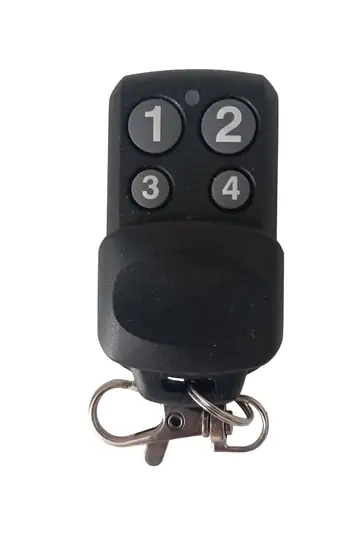 UK-911433.92MHz Copyable Garage Remote BFT Nice Beninca Compatible 4-Button$ 12.39/ 1 pc
$ 5.22 each in a 10-pack
- −60% in packs
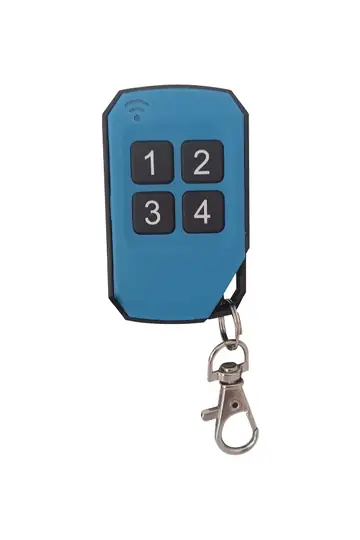 UK-912433.92MHz Copyable Garage Remote BFT Nice FAAC Compatible 4-Button Blue$ 15.79/ 1 pc
$ 6.17 each in a 10-pack
- −61% in packs
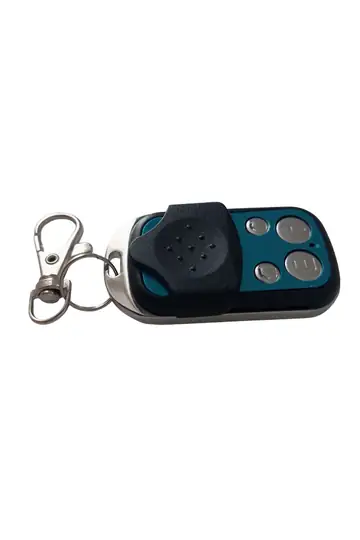 UK-902433.92MHz Copyable Garage Remote 4-Button Smart Remote Control$ 13.69/ 1 pc
$ 5.22 each in a 10-pack
Frequently asked questions
Can a garage remote be copied?
Fixed-code remotes can be copied: just put the new remote into learning mode and hold it next to the old one. Rolling code (hopping code) remotes cannot be copied with the general-purpose method; in these systems, the new remote is paired to the motor's receiver. You can tell which group yours belongs to from the remote's model label.
Can a BFT Mitto remote be copied?
Not with the general-purpose copying remotes on the market. BFT Mitto uses rolling code and generates a different code with every press, so an ordinary copying remote cannot pick up the code from the old remote. The right way is to pair the new remote to the system using the programming button on the BFT receiver. BFT's own Replay/Clonix product family is a separate solution that allows cloning. The same logic applies to Nice Flor-S and Era.
How do I find out my remote's frequency?
Open the battery cover: the frequency is usually printed inside the battery compartment or on the back label. The common value in Türkiye is 433.92 MHz; some systems of European origin use 868.35 MHz. If the label is unreadable, note the model code and verify it in the manufacturer's technical documentation.
What is the difference between copying and pairing?
With copying, the new remote takes on the old remote's code exactly, and the motor is not touched at all. With pairing, the new remote is added to the receiver's memory as a separate user; this usually requires access to the receiver board, although with some brands it can be done over the air using a registered remote. The first is used with fixed-code systems, the second with rolling code systems.
My remote opened once and now it won't. Why?
Two causes stand out: loss of sync between the remote and the receiver in a rolling code system, or the registration not being retained because the receiver memory is full. The solution is to re-pair the remote to the receiver; if the memory is full, first wipe it and then re-add the active remotes.
I don't have access to the motor's receiver. Can I get a spare remote?
If your system is fixed-code, yes: you can copy your existing working remote without touching the receiver at all. In a rolling code system too, if you have a working remote registered on the system, brands such as BFT and Nice offer a procedure that registers the new remote over the air without touching the receiver; however, this feature may have been disabled during installation. If you don't have a working remote, access to the receiver is mandatory.
How many buttons should my remote have?
If you use a single door, one button is enough. If you control more than one point, such as a garage, barrier, roller shutter or garden gate, get a 4-button model. Extra buttons are no disadvantage; too few buttons, on the other hand, will have you buying a second remote and raise the total cost.
How do I cancel a lost remote?
A lost remote keeps opening the door as long as it isn't deleted from the receiver's memory. If a registration list is kept, only the relevant record is deleted. If there's no list, the memory is wiped entirely and all active remotes are paired again; in residential complexes, this should be announced in advance.
My remote's range has dropped. What should I do?
First, replace the battery; this is the most common cause of reduced range, and it starts long before the remote goes completely silent. If the problem persists, check the receiver's antenna: it may be bent, shortened or stuck to a metal surface. Keeping the antenna straight and free restores the range in most cases.
Is it a crime to copy someone else's remote?
Making a spare remote for your own system is permitted; selling and buying copyable remotes is also legal. However, duplicating someone else's remote without permission and accessing that area constitutes a crime. That is why it matters that remote duplication requests at residential complexes and workplaces go through the management.
Conclusion: diagnosis first, then method
There is only one thing to do before buying a spare remote: find out your remote's frequency and code type. These two pieces of information directly determine which method you'll use and which model you'll order.
- Fixed code → copying. Done in 30 seconds without touching the motor.
- Rolling code → pairing to the receiver. Using the programming button on the motor's board, in 1 minute.
- DIP switch → match the switch arrangement exactly.
If your system is BFT, Nice, Beninca, FAAC or Doorhan, the broadly compatible UK-911 or UK-912; if it's Kontal (for fixed-code models outside the Rolan series), the UK-903; and if the brand is unknown, the UK-902 is the right place to start. For distribution in complexes and apartment buildings, 5-packs and 10-packs noticeably lower the cost per unit. If your door doesn't have a safety photocell yet, adding the SR-401 along with the remote is the most valuable second item.
Because prices change with exchange rates and promotions, this guide does not give fixed prices; check the relevant product page for the current price. Brand and model names are used solely to indicate compatibility; the trademarks of the respective brands belong to their owners. The remote duplication instructions are intended for making spares for your own system.